
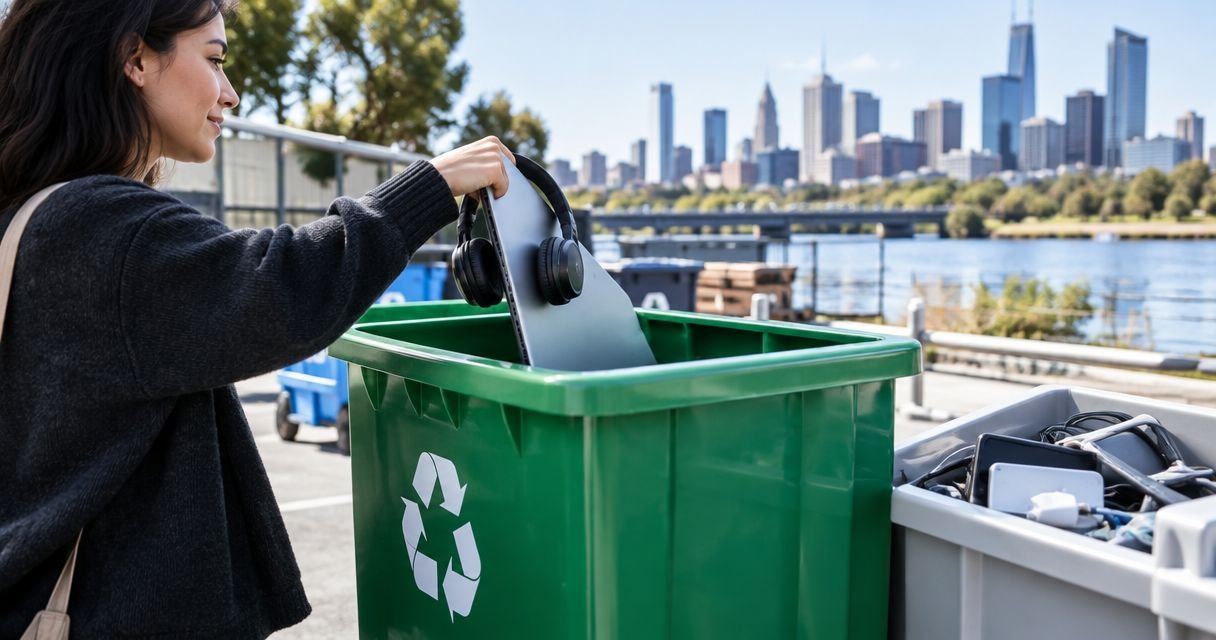
Best overall: an approved council e-waste drop-off. Best for mobile phones: MobileMuster. Best for a mixed household clear-out: Get Out Rubbish, with each electronic item confirmed before booking. This 2026 e-waste disposal Melbourne guide explains which route fits your equipment, what to check and how to protect your data.
- For e-waste disposal Melbourne households can use approved council drop-offs; confirm accepted items before travelling.
- TechCollect suits eligible computers and televisions; MobileMuster handles eligible mobile phones and accessories.
- Get Out Rubbish suits mixed clear-outs needing manual loading; confirm electronic items before booking.
- Erase personal data before handover and keep damaged batteries out of ordinary rubbish.
For a broader household clean-up, Get Out Rubbish manually loads approved rubbish directly into trucks. No skip bins are provided, and electronic-item acceptance needs confirmation rather than assumption.
Why this matters
Electronic equipment does not belong in your household rubbish bin. Victoria bans e-waste from landfill, so a broken laptop, television or electrical appliance needs an appropriate collection or recovery route. EPA Victoria's e-waste guidance is the relevant state reference for Melbourne disposal decisions in 2026.
Your main decision is not simply collection versus drop-off. It is whether the recipient accepts that particular item, whether it contains personal data and whether its battery changes how you must handle it. A phone, a monitor and a swollen laptop battery are not interchangeable loads.
What makes the best e-waste disposal option?
Use these criteria before choosing a route:
- Item acceptance: Confirm the device category, accessories and battery condition. An electronics programme does not necessarily accept every electrical item.
- Handling: Decide whether you can transport the equipment safely or need someone to load it.
- Data protection: Separate ordinary recycling from secure data destruction. They are different services.
- Handover rules: Check the location, appointment requirements and instructions before leaving home.
- Clear responsibility: Know who receives the electronics and what evidence you need after handover.
- Whole-job fit: A single phone needs a different solution from an office clearance or a household move.
Melbourne e-waste options at a glance
| Option | Best for | Standout feature | Key limitation |
|---|---|---|---|
| Approved council e-waste drop-off | Assorted household electronics | A local route for accepted electrical items | Accepted categories and access rules differ |
| TechCollect | Eligible computers and televisions | A programme focused on specified equipment | Not a catch-all electrical waste service |
| MobileMuster | Mobile phones and eligible accessories | A dedicated mobile phone recycling programme | Does not replace general e-waste collection |
| Reuse or donation | Working, useful electronics | Keeps usable equipment in service | Recipients must agree to take the item |
| Specialist business electronics recycler | Office equipment with data or reporting needs | Can address a defined business disposal brief | Security and reporting must be specified |
| Loaded rubbish removal | Mixed household and office clear-outs | Loading help for approved items | Electronic acceptance must be confirmed |
1. Council e-waste drop-off: best for assorted household electronics
An approved council e-waste drop-off is the strongest starting point when you have several household electrical items and can transport them yourself. Check your council's current waste information for the receiving location and its accepted-item list. Do not assume an ordinary hard rubbish booking includes electronics.
For Melbourne residents in 2026, the council governing your address matters more than the nearest suburb name. Confirm whether the facility accepts residents from outside its municipality before loading the car.
Council drop-off pros:
- Gives you a local starting point for accepted household e-waste.
- Lets you check instructions against your actual equipment.
- Suits a planned trip with several manageable items.
Council drop-off cons:
- You handle transport and unloading.
- Battery, appliance and residency rules need separate checks.
Best for: Households with mixed small electronics and suitable transport.
Verdict: Choose an approved council drop-off as your default; skip any location that has not confirmed your items.
2. TechCollect: best for eligible computers and televisions
TechCollect is an Australian recycling programme for eligible computers, computer accessories and televisions. It operates within the National Television and Computer Recycling Scheme framework. Its published accepted-item information, rather than the general label e-waste, should determine what you bring.
A television and a printer can belong in this route, while an unrelated electrical appliance needs its own acceptance check. Confirm the receiving site's instructions as well as the programme's categories; do not treat a collection point as an unattended dumping area.
TechCollect pros:
- Focuses on recognisable computer and television categories.
- Provides a defined alternative to general rubbish disposal.
- Suits equipment that is no longer suitable for reuse.
TechCollect cons:
- Does not cover every electrical product.
- Recycling acceptance does not establish secure data destruction.
Best for: Householders disposing of eligible computer equipment or televisions.
Verdict: Choose TechCollect for equipment within its accepted categories; erase storage devices before handover.
3. MobileMuster: best for mobile phones and accessories
MobileMuster is Australia's mobile phone recycling programme. It accepts mobile phones and eligible phone accessories, including associated batteries, subject to its handling instructions. Check those instructions before taking in anything damaged.
Do not put an old phone in the bin because its screen is broken or it will not charge. Decide whether the handset can be reused first, then remove personal information before recycling wherever the device's condition allows.
MobileMuster pros:
- Provides a phone-specific recycling route.
- Covers eligible accessories alongside handsets.
- Suits a small collection of obsolete mobile equipment.
MobileMuster cons:
- Does not handle your entire household electronics pile.
- A damaged battery needs specific handling advice.
Best for: Old mobile phones and accepted phone accessories.
Verdict: Choose MobileMuster for eligible mobile equipment; keep unrelated electronics out of that collection.
4. Reuse or donation: best for working, useful electronics
Reuse is the best first question for an electronic item that still works and has a willing recipient. Offer an accurate description, disclose faults and confirm that the recipient accepts the equipment before arranging handover. A charity shop is not automatically an electronics collection point.
For your 2026 clear-out, distinguish a useful device from a disposal problem. Missing chargers, locked accounts, damaged cables or unsupported software can make an apparently working item unsuitable for its next user.
Reuse and donation pros:
- Keeps functioning equipment in use.
- Lets you pass on compatible accessories together.
- Avoids dismantling an item that someone can still use.
Reuse and donation cons:
- Finding an appropriate recipient takes coordination.
- You remain responsible for removing personal data and account locks.
Best for: Complete, functioning devices that an identified recipient wants.
Verdict: Choose reuse when the device is genuinely useful; skip donation as a way to offload broken equipment.
5. Specialist business recycler: best for office data requirements
A specialist business electronics recycler is the right route when your disposal brief includes storage media, asset records or documented destruction. Ask exactly which services are included. Collecting computers, recycling equipment and destroying data are separate tasks.
Before clearing an office, match the equipment against an asset list and identify laptops, desktops, servers and other devices that hold information. Keep equipment awaiting a data decision separate from furniture and ordinary office rubbish.
The same distinction matters during office clean-outs for Melbourne businesses: a cleared room does not establish that its former computers were securely erased.
Specialist business recycler pros:
- Lets you specify data handling before collection.
- Supports a defined equipment inventory.
- Can separate reuse, recycling and destruction requirements.
Specialist business recycler cons:
- Certificates and reporting are not automatic; request them explicitly.
- A business needs to prepare records and authorise disposal.
Best for: Offices with confidential information or equipment-accountability requirements.
For property managers, business electronics recycling needs a clear handover boundary: identify which equipment belongs to the departing tenant, obtain disposal authority and keep data-bearing devices separate from general building waste. A vacant tenancy is not proof that abandoned equipment is yours to dispose of.
Verdict: Choose a specialist when information security or disposal records are part of the job; hold collection until responsibilities are agreed.
6. Loaded rubbish removal: best for a mixed clear-out
Get Out Rubbish is best for mixed household clear-outs that need manual loading, with electronic items confirmed before booking. The team handles approved non-hazardous rubbish, including furniture, mattresses, garden waste and office clearances. Electronics should be identified individually when you request the quote.
The owner-confirmed service area is approximately 25 km from St Kilda, including surrounding suburbs such as Elwood, Elsternwick, Brighton, Caulfield, Prahran and Bentleigh. This is a local loading service, not a statewide electronics recycling network.
Loaded rubbish removal pros:
- The team manually loads approved rubbish into trucks.
- No skip bin is needed for the service.
- You can discuss the mixed load during a free on-site quotation.
Loaded rubbish removal cons:
- Electronic-item acceptance requires confirmation.
- It is not a substitute for a separately specified secure data-destruction service.
Best for: A household, garage or office clearance involving approved mixed rubbish and loading help.
There is no call-out fee if you decline the on-site quote. Get Out Rubbish excludes asbestos, hazardous chemicals, liquid waste, soil and sand; do not mix these materials into the proposed load.
Verdict: Choose loaded removal for the wider clear-out; hold unconfirmed electronics out of the load.
Prepare electronics before handover
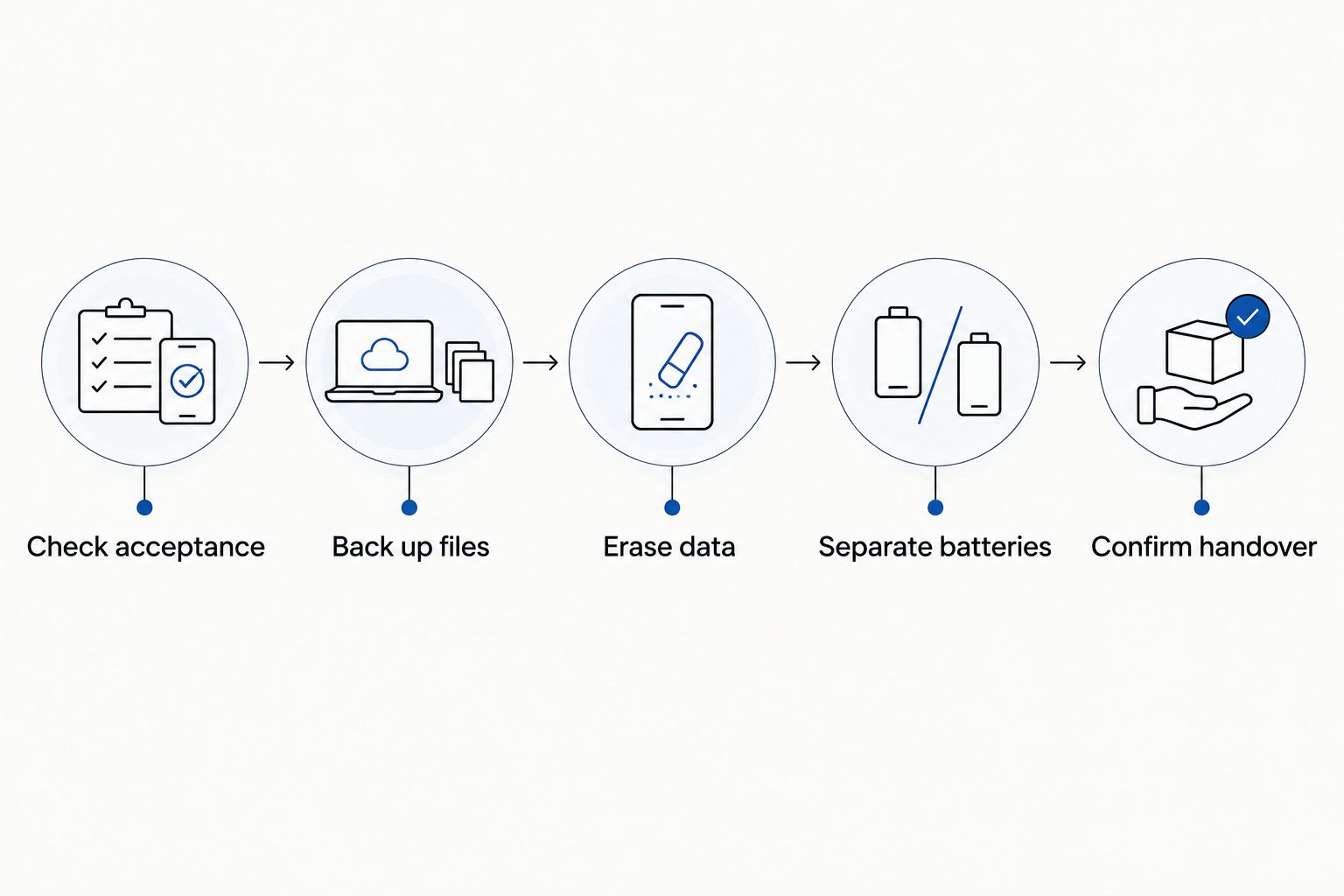
A good disposal decision still needs a careful handover. Use this sequence whether your 2026 job is a single phone or an office cupboard full of equipment.
- Check acceptance. List each device and ask the receiving service about batteries, accessories and damaged items.
- Back up files. Save anything you need before deleting accounts or erasing storage.
- Erase data. Follow the manufacturer's instructions, remove account locks and use appropriate secure-erasure or destruction arrangements for sensitive information.
- Separate batteries. Follow the receiving programme's instructions. Do not force out an embedded battery or dismantle damaged equipment.
- Confirm handover. Agree on the location, access and any records required before moving the load.
Deleting files is not the same as securely erasing a drive. If a device will not start, keep it under your control until you have arranged a suitable data-handling route. Remove removable SIM cards and memory cards before passing on a phone or camera.
Treat a swollen, leaking or otherwise damaged battery as a separate safety issue. Do not charge, puncture or place it in ordinary rubbish; ask the receiving service for safe handling instructions before transport.
How these options are ranked
The ranking prioritises accepted-item fit, practical handling, data responsibility and the needs of a typical household. Council drop-off leads for assorted household electronics; specialist routes take priority when the item or information requires them.
This is a use-case ranking, not a claim that every location accepts the same equipment. For 2026, confirm current receiving instructions directly before committing to a trip or collection.
Which e-waste disposal option should you choose?
Start with an approved council e-waste drop-off unless your equipment calls for a more specific route. Use TechCollect for eligible computers and televisions, MobileMuster for mobile equipment, and a specialist business recycler when data handling needs documentation.
If the electronics are only part of a larger clean-up, request a quote and describe every item. Call Get Out Rubbish on 0480 350 234 during operating hours: Monday–Saturday, 7:00 am–7:00 pm. Sunday and public holidays are normally closed. Ask about same-day collection if needed; it is subject to availability, never guaranteed.
Request a clear-out quote
Describe the full load and confirm electronic-item acceptance before booking.
FAQ
What’s the best option for e-waste disposal in Melbourne?
An approved council e-waste drop-off is the best starting point for assorted household electronics. Confirm the site’s accepted items and access rules before travelling; use a dedicated programme when your equipment fits its categories.
Can I put old electronics in my Melbourne rubbish bin?
No. Victoria bans e-waste from landfill, so electrical and electronic items need an appropriate collection or recovery route rather than your household rubbish bin.
Where should I take an old television or computer?
Check an approved council facility or a TechCollect receiving location for eligible televisions and computer equipment. Confirm the particular item’s acceptance and erase personal data from storage devices before handover.
What should I do with an old mobile phone?
Reuse a functioning phone with a willing recipient, or use MobileMuster for eligible mobile equipment. Back up your files, remove personal accounts and follow the programme’s battery instructions.
Can electronics go out with council hard rubbish?
Only include electronics if your council explicitly accepts them in that collection. A hard rubbish booking does not automatically include every electrical item, and separate presentation rules can apply.
Will a recycling service erase my computer data?
Do not assume recycling includes data erasure. Erase the device yourself using appropriate instructions, or agree on a secure data-destruction service before releasing equipment that contains sensitive information.
Can a rubbish removal team collect electronics with furniture?
Confirm each electronic item before booking a mixed collection. Acceptance of furniture or ordinary household rubbish does not establish acceptance of batteries, computers or other electrical equipment.
One last thing
A factory reset and a recycling booking solve different problems. Before you hand over a device, confirm both its physical destination and what happens to its stored information. Keeping those decisions separate prevents an otherwise tidy clear-out from leaving your data behind.
Related guides
- Ways to dispose of old white goods in Melbourne
- Scrap metal and appliance disposal options in Melbourne
- Ways to dispose of hard rubbish in Melbourne